
Honda CR-V: Armrests
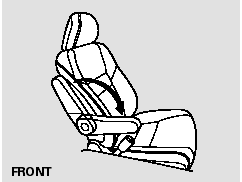
Each front seat has an armrest on the side of the seat-back. To use it, pivot it down.
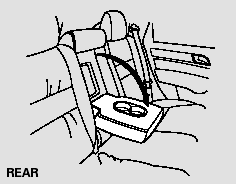
The rear seat armrest is in the center of the rear seat. Pivot it down to use it.
READ NEXT:
 Cargo Pass-through
The rear center seat-back has a
cargo area pass-through. To use the
cargo area pass-through, pull up the
release on top of the center seatback
and fold it down.
If your vehicle is equippe
Head Restraints
See page for important safety
information and a warning about
improperly positioning head restraints.
Your vehicle is equipped with head
restraints in all seating positions to
help protect yo
Reclining the Front Seats
You can recline the seat-backs on the
front seats so they are level with the
rear seat cushions, making a large
cushioned area. To do this:
EX-L and Canadian EX models
Only the passengerâ€
SEE MORE:
CKP Pulse Plate Replacement
1. Remove the front wheels.
2. Remove the splash shield (see step 21).
3. Remove the drive belt.
4. Remove the cylinder head cover.
5. Set the No.1 piston at top dead center (TDC). The
punch mark on the variable valve timing control
(VTC) actuator and the punch mark on the exhaust
camshaft sproc
Driver's Vent Panel Removal/Installation
Special Tools Required
KTC trim tool set SOJATP2014 *
* Available through the American Honda Tool and
Equipment Program; call 888-424-6857
NOTE:
Put on gloves to protect your hands.
Use the appropriate tool from the KTC trim tool set to
avoid damage when prying components.
Take care not to scra
© 2016-2026 Copyright www.hcrv.net
